RoughCut is a Mac companion for Final Cut Pro built for interview, documentary and long-form work — where the story is decided in the words long before it's decided on the timeline.
01
Search
Index the transcriptions already in your Final Cut Pro libraries and search them the way you'd search a document. Find the phrase, hear it in context, and mark it as a select without opening the timeline.
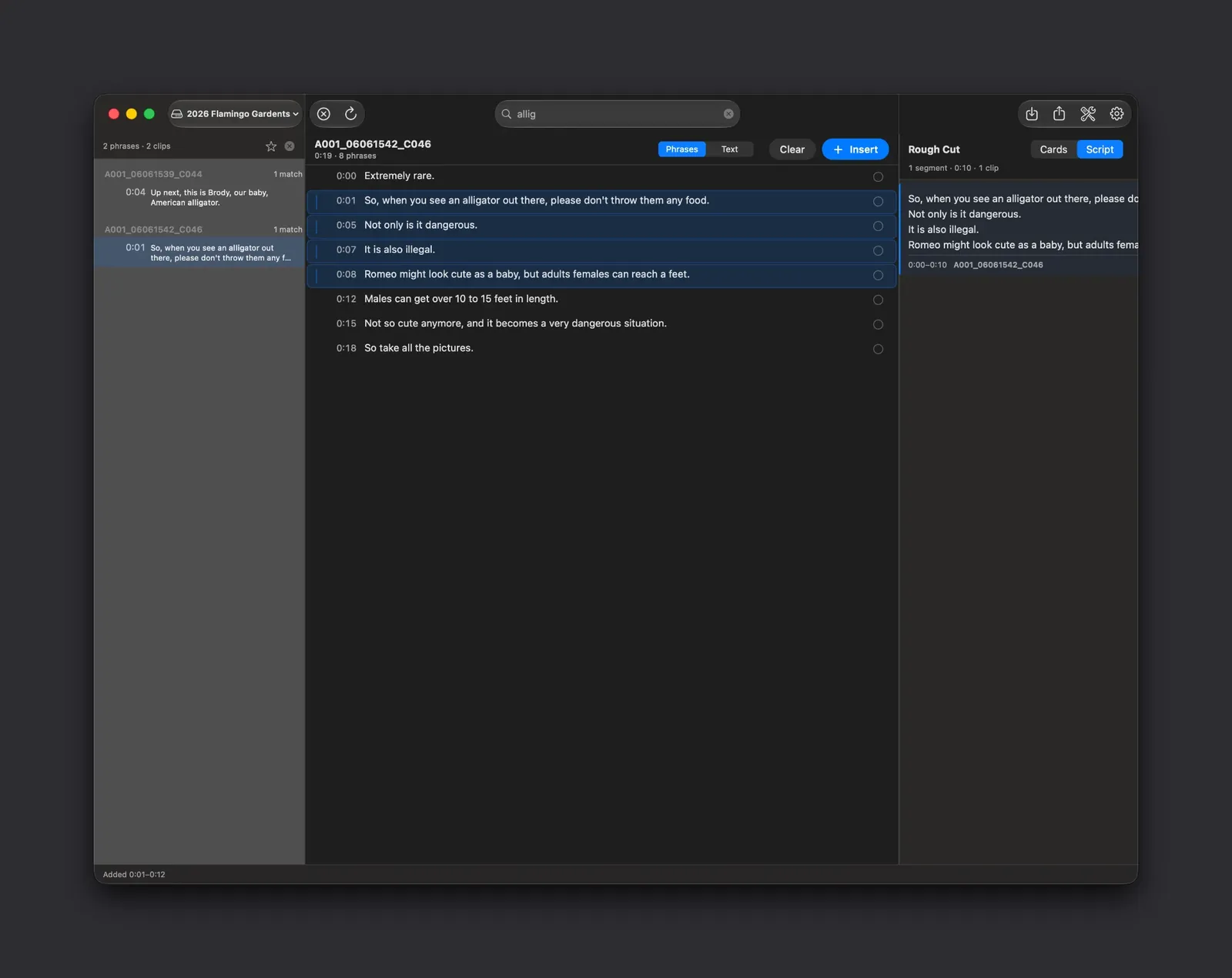
Search. Searching for a word matches across every transcribed clip at once. The left column lists the clips that contain it, the centre column shows the phrase in the context of its full transcript with timecodes, and selected phrases move straight into the Rough Cut panel on the right — no timeline scrubbing involved.
02
Rough Cut
Collect dialogue and selects into an ordered Rough Cut. Reorder beats, trim in and out points, group takes, and write the structure down before you commit an hour to the timeline. Save it as a .roughcut document and pick it back up later.
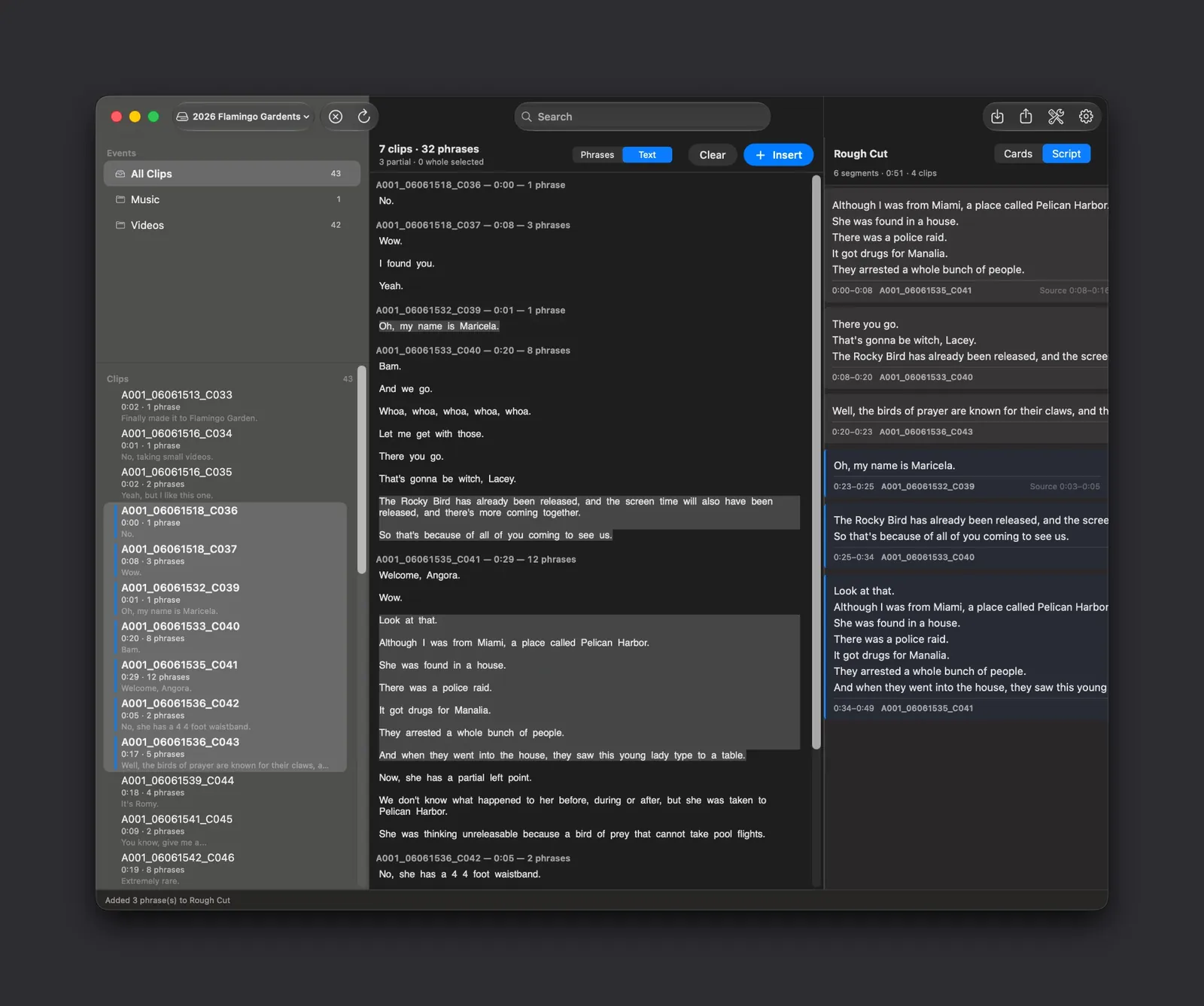
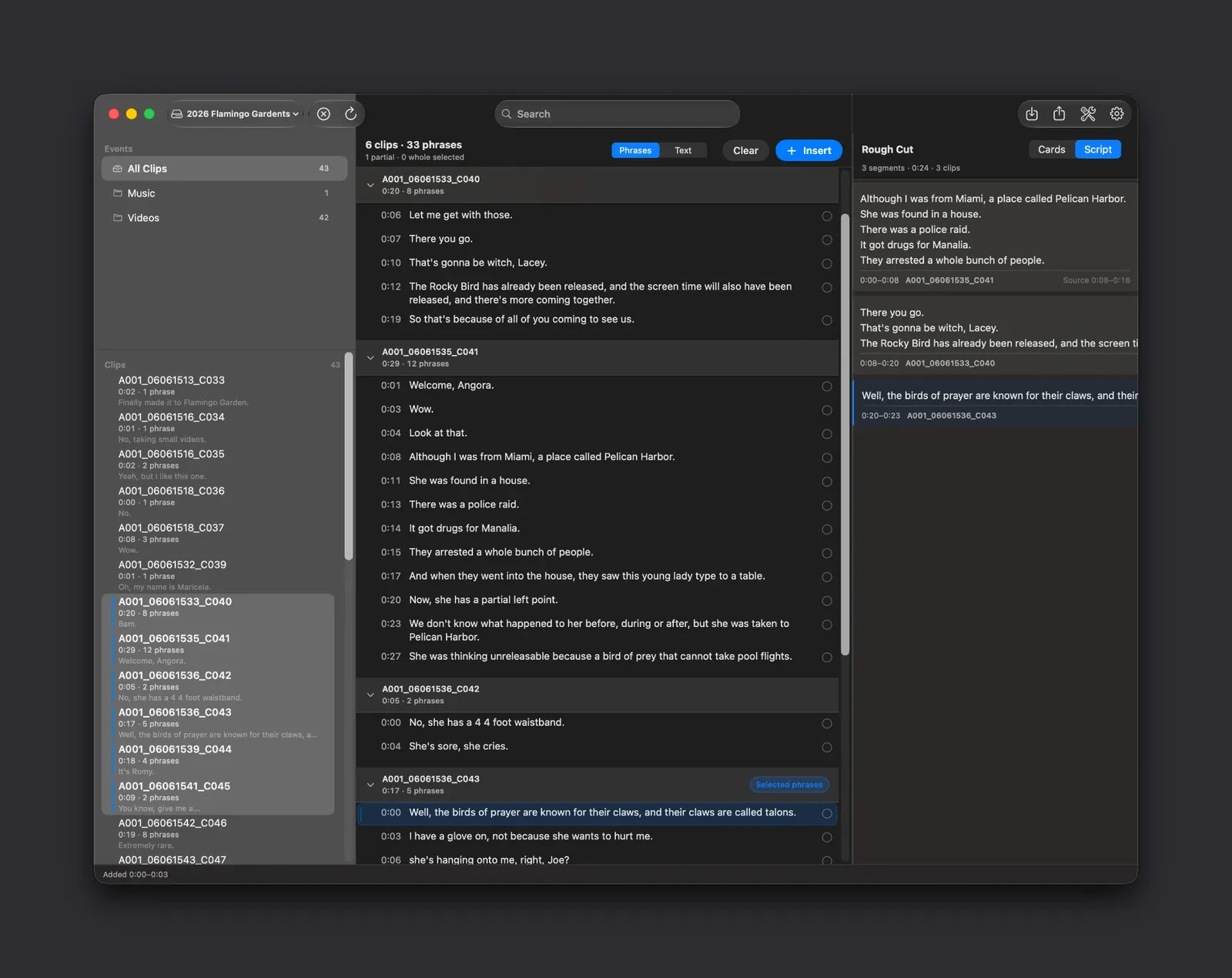
Rough Cut. Selects from different clips collect into one ordered assembly. The Rough Cut panel on the right shows each segment with its source clip and in and out points — six segments, 0:51, four clips here — and every beat can be reordered, trimmed or removed before you commit anything to a timeline.
03
Create Final Cut Project
Hand Final Cut Pro an editable project built from your Rough Cut — real clips, real in and out points, in your order. This is the part markers and note-taking tools can't do, and it's where the assembly stops being a plan and starts being an edit.
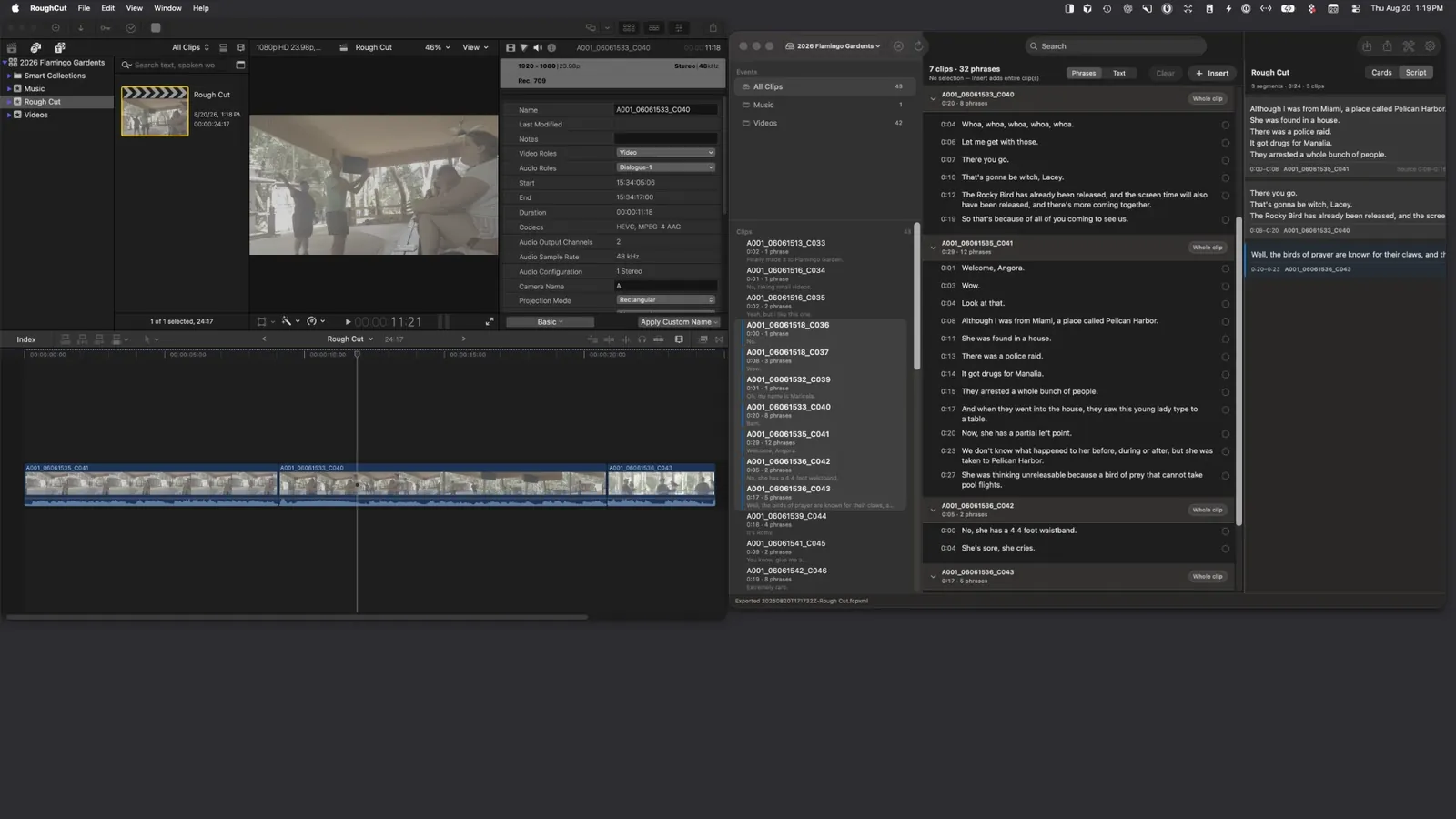
Create Final Cut Project. The paid unlock turns that assembly into a real Final Cut Pro project. The clips land on the timeline in your order with their in and out points intact, ready to trim and grade — this is a project you keep editing, not a list of markers.
04
Script view
Read the whole assembly as continuous script text. Useful for producers, for approvals, and for catching a story that reads well in cards but doesn't flow in sequence.
Script view. Switch the Rough Cut panel from Cards to Script and the same assembly reads as continuous prose, with the source clip and timecode range under each block. It is the fastest way to check that a story that looks right as cards actually flows when it is read end to end.
05
Copy for AI
Copy a clean, structured version of the transcript or Rough Cut to your clipboard so you can paste it into whatever assistant you already use. RoughCut sends nothing itself — the clipboard stays on your Mac until you paste.
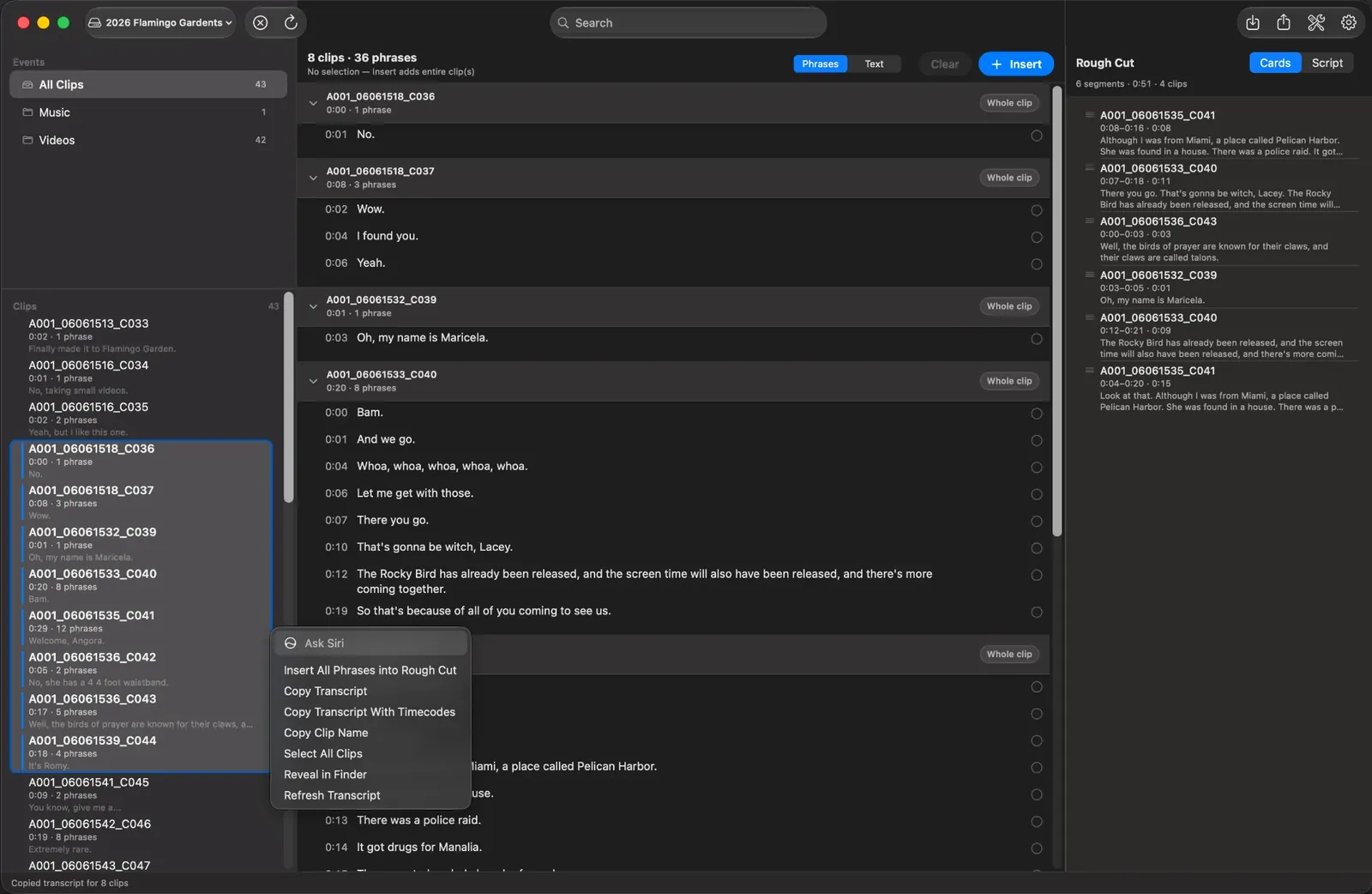
Copy for AI. Right-click any selection to copy a clean transcript, with or without timecodes, for as many clips as you have selected. The text goes to your Mac's clipboard so you can paste it into whichever assistant you already use — RoughCut sends nothing anywhere itself.
Free forever
Browse Final Cut Pro libraries
Search every transcript
Build and edit Rough Cuts
Cards and Script views
Save .roughcut documents
Create Final Cut Projects
A 7-day trial starts the first time you successfully create a Final Cut Pro project.
Create editable Final Cut Pro projects from any Rough Cut
FCPXML import and export as part of that project handoff
Restores across your Macs with the same Apple Account
 Rough
Rough