Skip to content

    Press Kit

    Everything you need to write about RoughCut accurately. For assets or interviews, email support@livup.app.

    Naming

    • Product name: RoughCut (one word, capital R and C)
    • App Store listing name: RoughCut for Final Cut Pro
    • Publisher: LiVuP LLC
    • Website: roughcut.livup.app

    One-line description

    RoughCut is a Mac companion for Final Cut Pro that turns transcript search into an editable Final Cut Pro project.

    Boilerplate

    RoughCut is a macOS companion for Final Cut Pro built for interview and long-form work. It searches the transcripts already in your libraries, lets you assemble the selects into a Rough Cut using Cards or Script views, and then creates an editable Final Cut Pro project from that assembly — not just markers. Libraries are processed locally on the Mac, and diagnostics are never transmitted automatically. Browsing, searching and Rough Cut editing are free forever; creating Final Cut Pro projects is a one-time in-app purchase following a 7-day trial. RoughCut is published by LiVuP LLC.

    Screenshots

    The Mac App Store screenshot set is ordered Search → Rough Cut → Export → Script → Copy for AI. Full-resolution framed versions are available on request — email us and we'll send them directly.
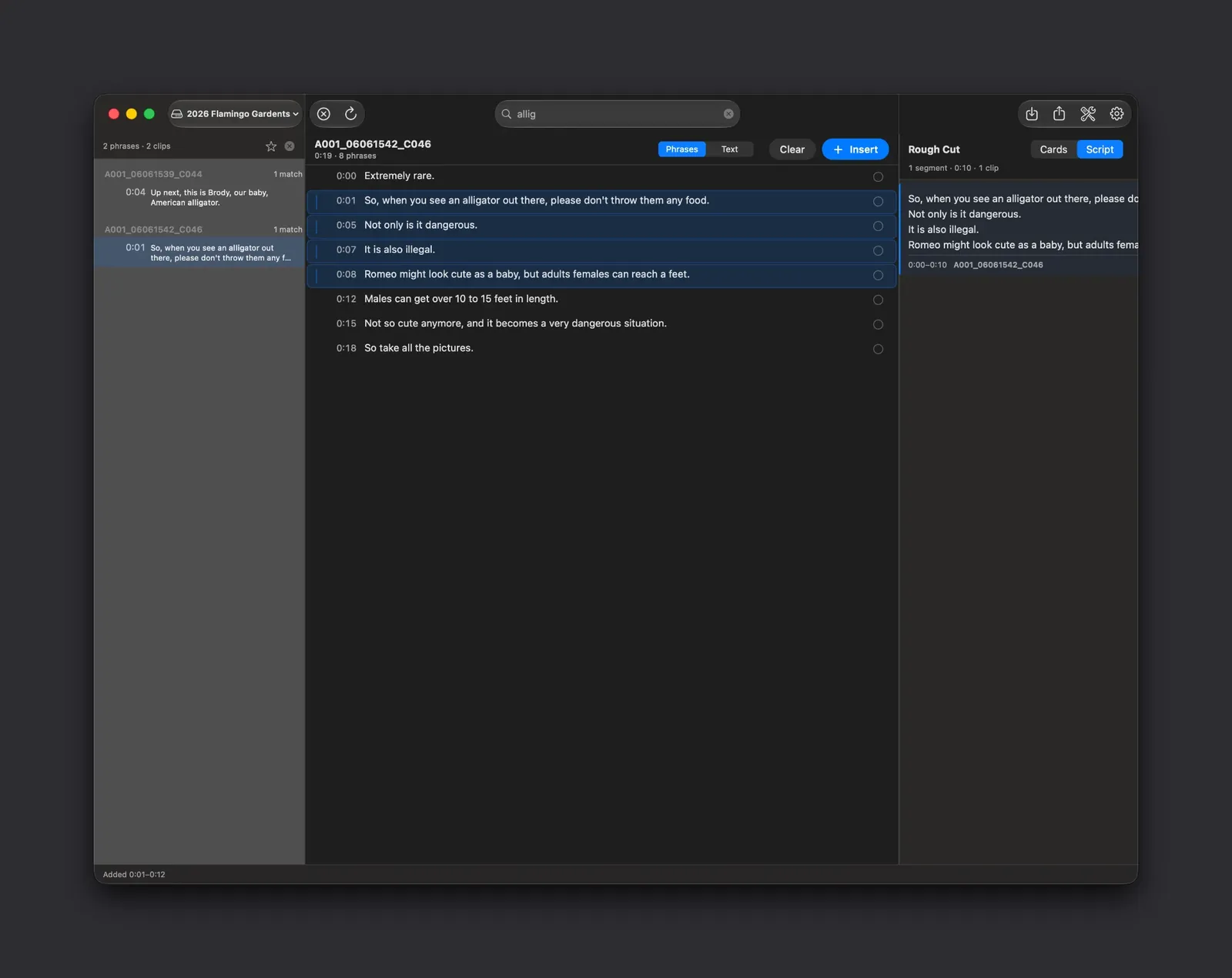
    RoughCut window with the search field set to the query "allig". The left column lists two matching clips, the centre column shows the transcript of clip A001_06061542_C046 with four matching phrases highlighted, and the right column holds the resulting Rough Cut segment.
    Search. Searching for a word matches across every transcribed clip at once. The left column lists the clips that contain it, the centre column shows the phrase in the context of its full transcript with timecodes, and selected phrases move straight into the Rough Cut panel on the right — no timeline scrubbing involved.
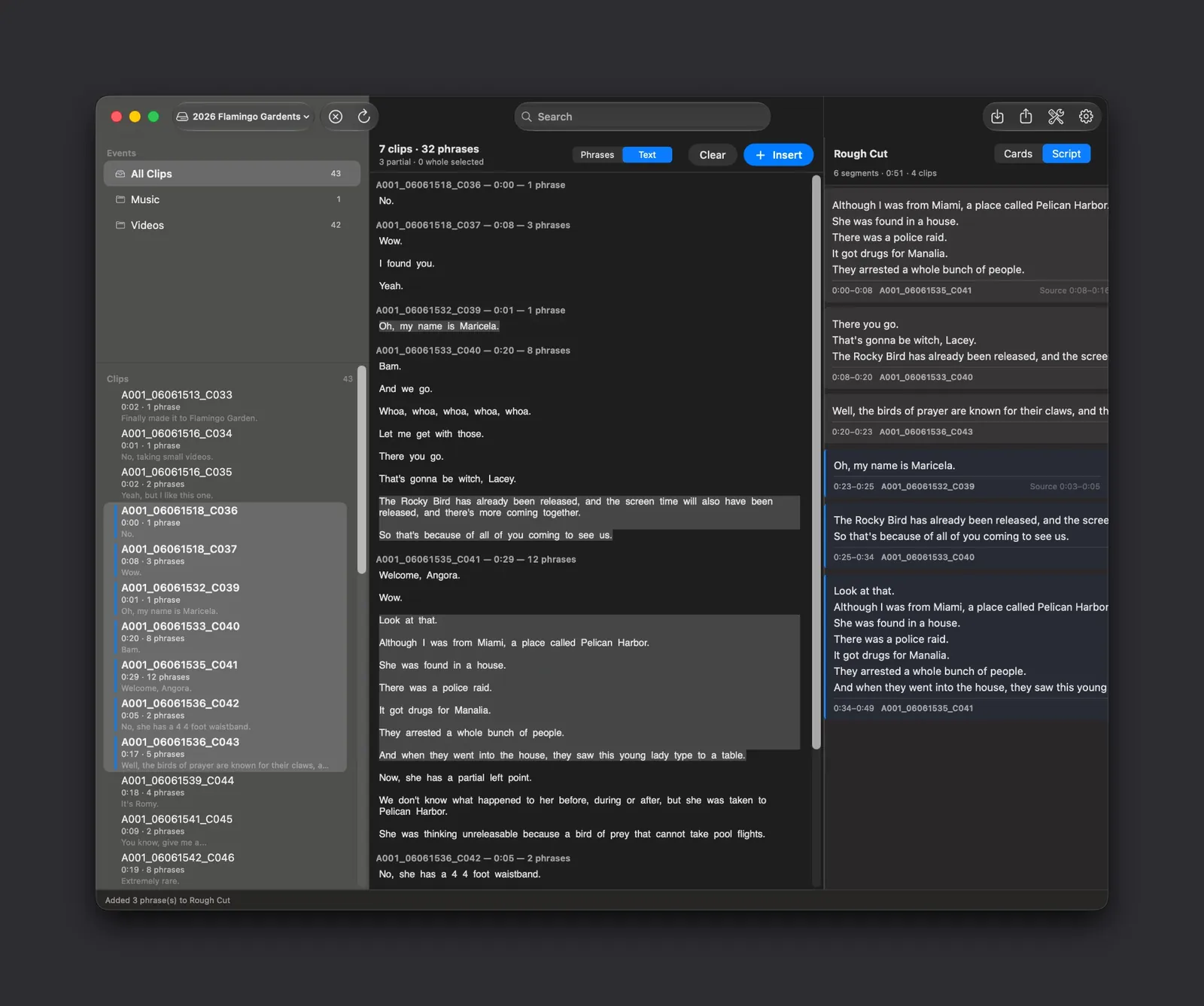
    RoughCut showing the library sidebar with events and 43 clips, the centre transcript column in Text mode with several phrases selected, and a Rough Cut panel on the right containing six ordered segments totalling fifty-one seconds across four clips.
    Rough Cut. Selects from different clips collect into one ordered assembly. The Rough Cut panel on the right shows each segment with its source clip and in and out points — six segments, 0:51, four clips here — and every beat can be reordered, trimmed or removed before you commit anything to a timeline.
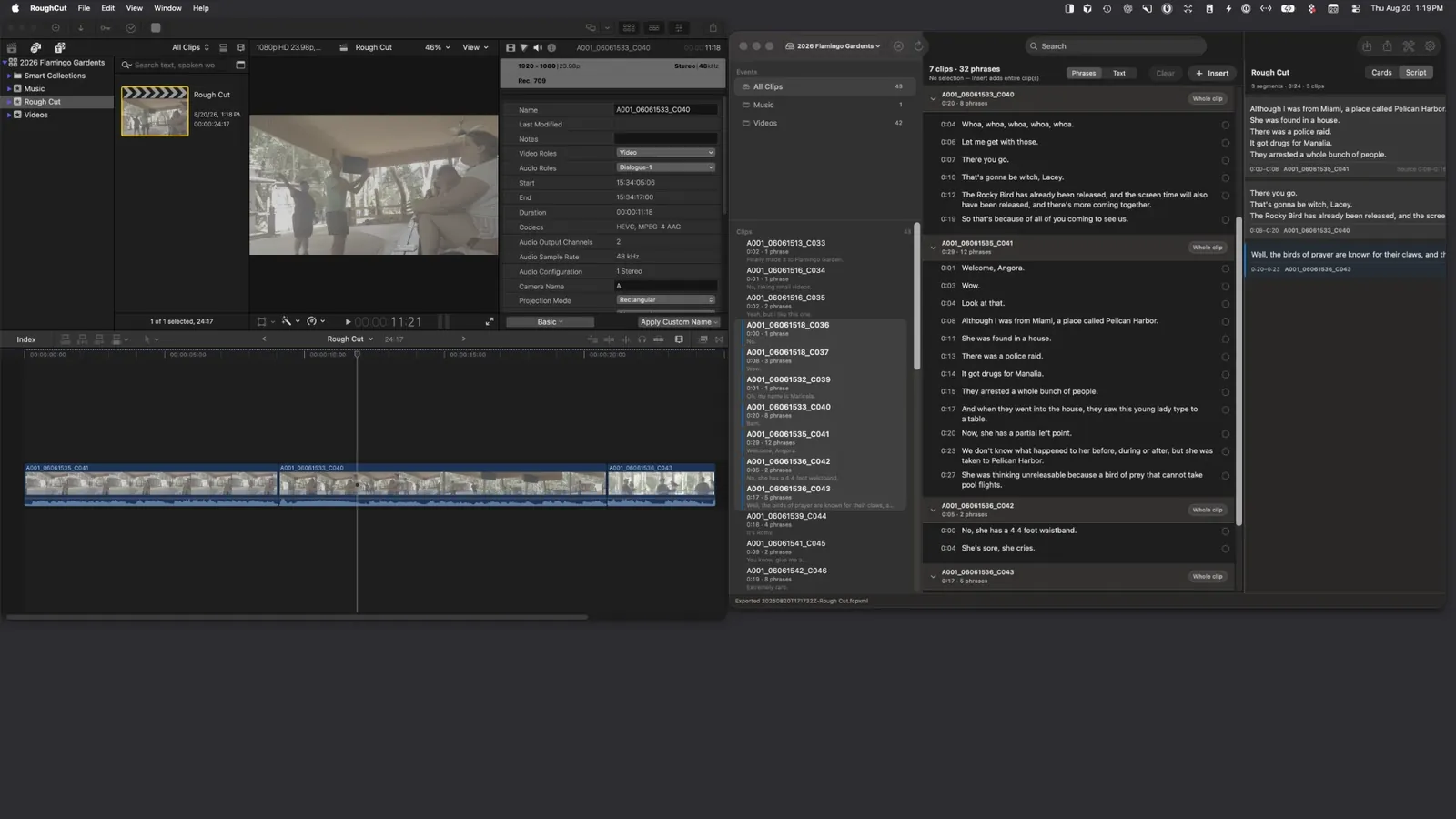
    Final Cut Pro open beside the RoughCut window. The Final Cut timeline holds a project named Rough Cut with three connected clips and audio waveforms, and the RoughCut status bar reads that the Rough Cut .fcpxml was exported.
    Create Final Cut Project. The paid unlock turns that assembly into a real Final Cut Pro project. The clips land on the timeline in your order with their in and out points intact, ready to trim and grade — this is a project you keep editing, not a list of markers.
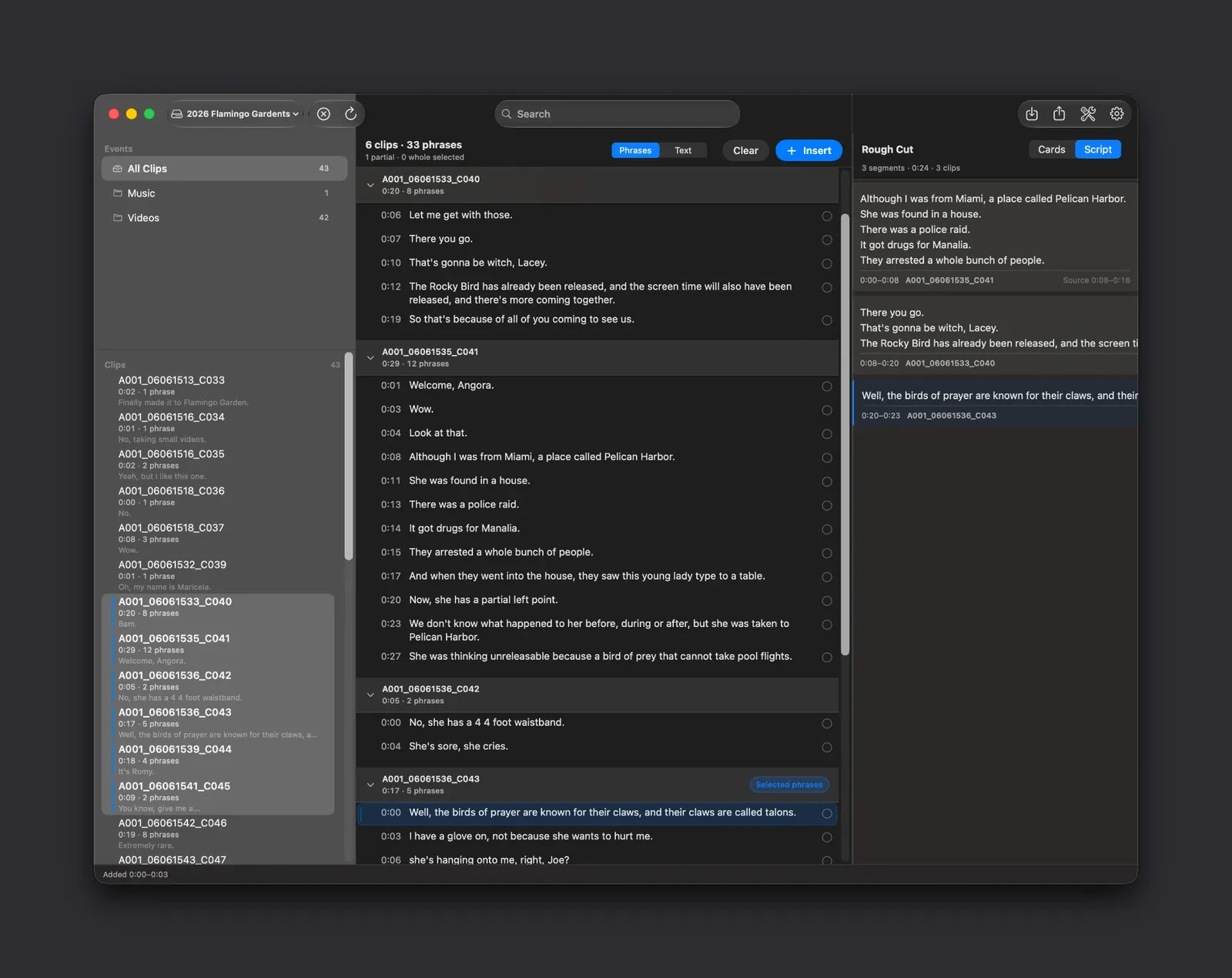
    RoughCut with the Rough Cut panel switched to Script view, showing three segments as continuous paragraphs of dialogue with the source clip and timecode range printed beneath each block.
    Script view. Switch the Rough Cut panel from Cards to Script and the same assembly reads as continuous prose, with the source clip and timecode range under each block. It is the fastest way to check that a story that looks right as cards actually flows when it is read end to end.
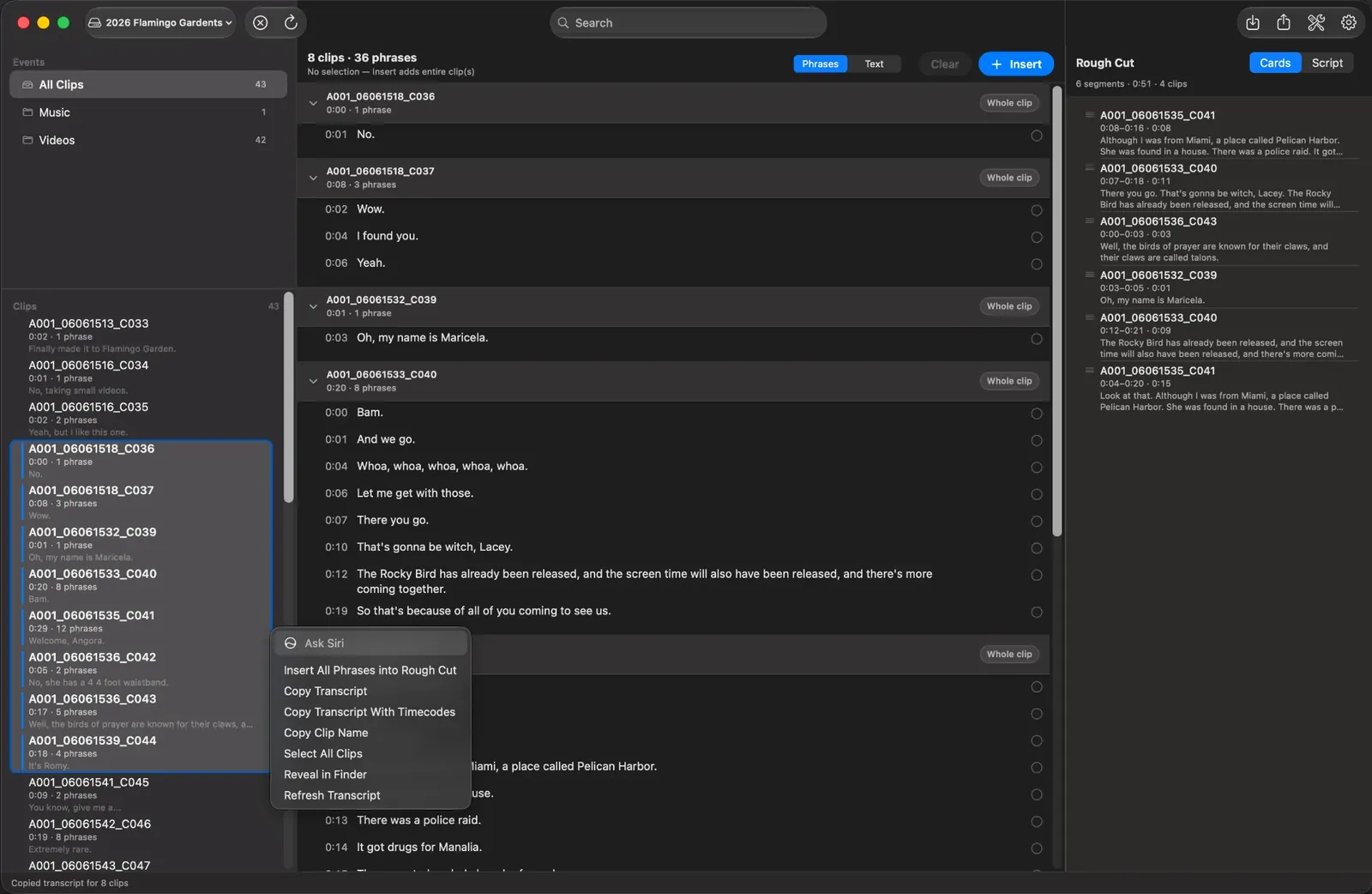
    RoughCut clip list with a context menu open showing Insert All Phrases into Rough Cut, Copy Transcript, Copy Transcript With Timecodes, Copy Clip Name and other commands. The status bar reads that the transcript for eight clips was copied.
    Copy for AI. Right-click any selection to copy a clean transcript, with or without timecodes, for as many clips as you have selected. The text goes to your Mac's clipboard so you can paste it into whichever assistant you already use — RoughCut sends nothing anywhere itself.

    Facts

    • Platform: Mac only — requires macOS 15.6 or later
    • Final Cut Pro required for project creation and the Workflow Extension.
    • Business model: free app with a one-time in-app purchase
    • © 2026 LiVuP LLC

    Final Cut Pro is a trademark of Apple Inc. RoughCut is not affiliated with or endorsed by Apple Inc.